
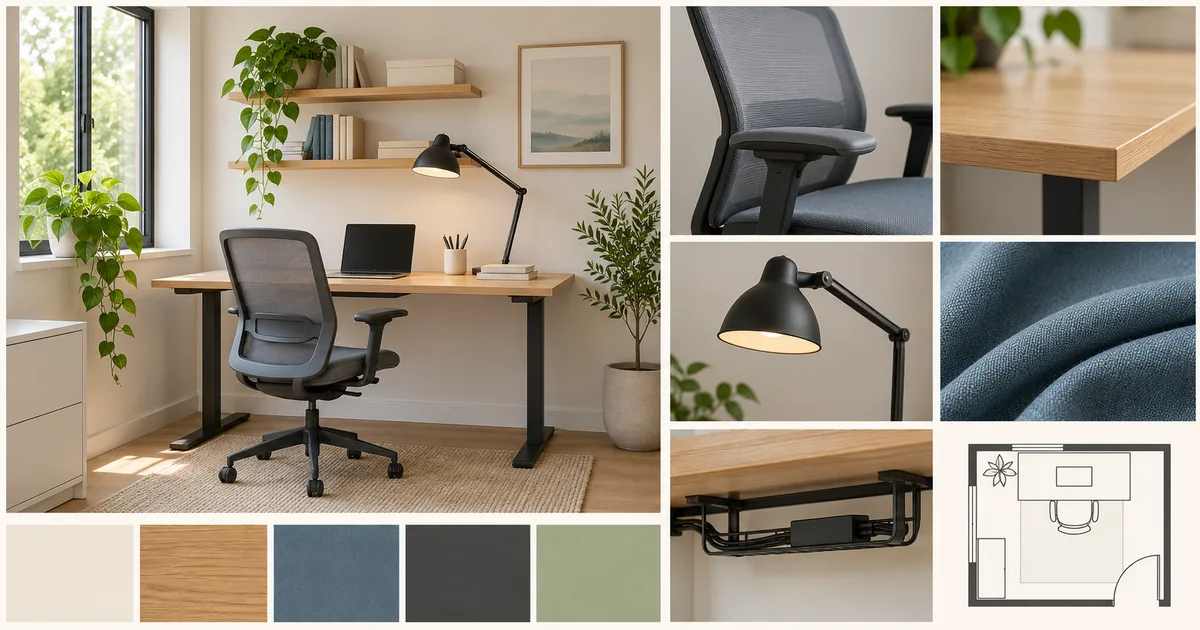
Begin with work patterns and room limits
Record the tasks, hours, devices, calls, paper storage, privacy needs, window direction, doors, sockets, heat, and furniture that must remain. The board should solve this room rather than imitate an unrelated office.
Separate comfort evidence from appearance
Show desk depth, chair adjustment, screen height, task-light reach, foot clearance, and movement space beside the desired material and color direction. A beautiful chair image is not evidence that the chair fits the user or room.
Design the daily reset
Give cables, charging, stationery, papers, and call equipment a visible home. The end-of-day state matters because clutter and setup friction can undermine the direction even when the room photographs well.
Evidence to collect before review
- Measured room, daylight, sockets, and retained items
- Desk, chair, screen, task light, and movement clearances
- Storage, cable route, call framing, and acoustic cues
- Material samples, care, cost, delivery, and return conditions
When a home office board hides the work
Rework the board when it contains only styled desks, assumes an empty room, ignores screen glare, or treats one chair silhouette as proof of comfort. Plants, shelves, and accessories should not use more space than the desk, chair, light, storage, and cable decisions that make the workspace usable.
Questions for the decision review
Review the board from the seated position, the room entrance, and the video-call camera before buying.
Use evidence, not preference
- Which task sets the required desk depth and equipment?
- Where does daylight fall on the screen during working hours?
- Can the chair move without blocking storage or circulation?
- What must be tested physically for comfort, sound, fit, and maintenance?
Turn the board into a workspace setup plan
Record room and furniture dimensions, screen and light positions, socket and cable routes, storage assignments, product references, cost status, delivery limits, and return conditions. Keep ergonomic adjustments personal and testable instead of treating one photographed setup as universally correct.
What this template does not prove
A mood board cannot prove ergonomic comfort, electrical safety, acoustic performance, furniture fit, or screen visibility. Measure and test the working position before committing money.
Build a measured workspace specification
Map desk and chair clearances, screen sightline, daylight glare, call background, charging, paper storage, and the reset sequence before ordering. Mark every untested choice as provisional. Use the workspace direction quality check, then record reference status in the workspace reference log.